Hamraaz Personal Login Payslip 2026: Check Army Salary Slip Online
Hamraaz Personal Login Payslip – Step-by-step guide to download Indian Army salary slip, Form 16, service details, and resolve login issues online.
 Techibar
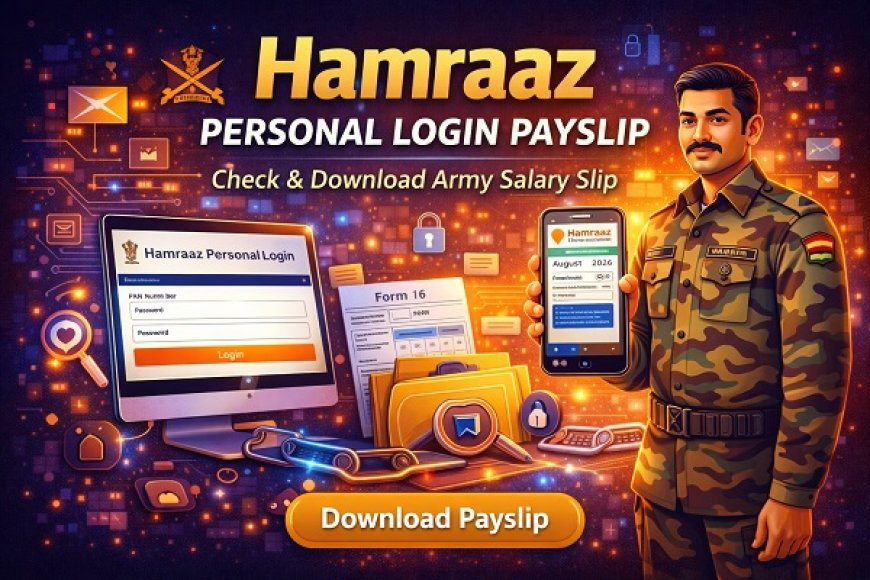
The Hamraaz Personal Login Payslip system is an official digital platform developed exclusively for Indian Army personnel to access their salary slips, Form 16, service details, and other important financial records online. This secure portal and mobile app have simplified salary management for soldiers by eliminating the need for physical paperwork.
In this detailed guide, we will explain what Hamraaz is, how to log in, how to download payslips, common login issues, security tips, and FAQs—all in a simple and user-friendly manner.
What is Hamraaz Portal?
Hamraaz is an official web portal and Android application designed by the Indian Army for serving personnel. It allows soldiers to view and manage their personal and service-related information digitally.
Key Purpose of Hamraaz:
-
Provide online access to salary details
-
Reduce dependency on manual pay records
-
Ensure transparency and accuracy in salary data
-
Enable soldiers to download important documents anytime
Note: Hamraaz is strictly meant for serving Army personnel only. Civilians and retired staff cannot access it.
What is Hamraaz Personal Login?
The Hamraaz Personal Login section is used by individual soldiers to:
-
View monthly payslips
-
Download Form 16
-
Check allowances and deductions
-
Verify personal and service details
Each user logs in using their PAN number and password, ensuring secure access.
Benefits of Hamraaz Personal Login Payslip
Using the Hamraaz portal provides several advantages:
-
Instant access to monthly salary slips
-
Download Form 16 for income tax filing
-
Transparent view of deductions and allowances
-
Secure login system
-
24/7 access from anywhere
-
Reduces paperwork and administrative delays
Details Available in Hamraaz Payslip
Once logged in, soldiers can view the following salary components:
Earnings:
-
Basic Pay
-
Dearness Allowance (DA)
-
Military Service Pay (MSP)
-
Transport Allowance
-
HRA (if applicable)
-
Other special allowances
Deductions:
-
Income Tax
-
Provident Fund
-
Insurance
-
Mess charges
-
Other recoveries
Each payslip provides a clear salary breakup, making financial planning easier.
How to Login to Hamraaz Personal Portal (Step-by-Step)
Step 1: Visit Official Hamraaz Website
Open the official Hamraaz Personal Login page using a secure browser.
Step 2: Choose “Personal Login”
Select the Personal Login option (not Admin Login).
Step 3: Enter Login Credentials
-
Username: PAN Number (in uppercase)
-
Password: Registered password
Step 4: Complete CAPTCHA
Enter the captcha code correctly.
Step 5: Access Dashboard
Click Login to access your Hamraaz dashboard.
How to Download Hamraaz Payslip Online
Follow these steps after logging in:
-
Open the Payslip or Pay Details section
-
Select the Month and Year
-
Click on Download Payslip
-
Save the PDF to your device
You can print it or store it digitally for future use.
How to Download Form 16 from Hamraaz
Form 16 is required for income tax filing. To download:
-
Login to Hamraaz Personal Portal
-
Navigate to Form 16 / Income Tax section
-
Select the Financial Year
-
Download the Form 16 PDF
Hamraaz Mobile App Overview
The Hamraaz App offers the same features as the web portal and is available for Android devices only.
App Features:
-
Payslip download
-
Service details view
-
Notifications and updates
-
Secure access
The app should be downloaded only from official sources to avoid fake versions.
Common Hamraaz Login Problems & Solutions
Problem 1: Forgot Password
Solution:
Use the Forgot Password option and verify via registered mobile number.
Problem 2: Invalid PAN or Credentials
Solution:
-
Enter PAN in capital letters
-
Ensure no extra spaces
-
Check internet connection
Problem 3: Website Not Opening
Solution:
-
Try during non-peak hours
-
Use updated browser
-
Clear cache and cookies
Problem 4: Payslip Not Showing
Solution:
-
Salary slips are uploaded monthly
-
Check correct month/year
-
Try again after some time
Security Tips for Hamraaz Users
To keep your account safe:
-
Never share your login details
-
Avoid using public computers
-
Change password regularly
-
Log out after each session
-
Use official website/app only
Who Can Use Hamraaz Portal?
✔ Serving Indian Army Personnel
❌ Retired Army Personnel
❌ Civilians
❌ Other Defense Forces
Frequently Asked Questions (FAQs)
Q1. Is Hamraaz Payslip legally valid?
Yes, Hamraaz payslips are official and valid documents.
Q2. Can I access Hamraaz on mobile?
Yes, via the Hamraaz Android App or mobile browser.
Q3. Is Hamraaz available 24/7?
Yes, except during maintenance periods.
Q4. Can I download old payslips?
Yes, previous months’ payslips are available.
Q5. Is Hamraaz free to use?
Yes, it is completely free of cost.
Final Words
The Hamraaz Personal Login Payslip system has transformed salary management for Indian Army personnel. With easy online access to payslips, Form 16, and service records, soldiers can now manage their financial information securely and efficiently.
If you are a serving Army member, regularly checking your Hamraaz portal ensures accuracy, transparency, and peace of mind.